1099-NEC totals from your AP payments
1099 Vendor Tracking Software, 1099 Tracking Software for Accounts Payable Teams
Try it now, capture a real invoice
Your file is used only for this demo and deleted automatically within hours.
1099 vendor tracking software adds up what you paid each contractor in the tax year, by payment date, and tells you who needs a Form 1099-NEC. AutoPayables does it inside your accounts payable workflow: flag a vendor for 1099, and every ACH, check, wire or cash payment counts toward their total, card payments and voids excluded. It applies the $2,000 threshold for 2026 payments, flags vendors with no TIN on file and exports a 1099-NEC CSV for your filing service.
$2,000
1099-NEC threshold applied to payments made in 2026
11
Columns in the 1099-NEC export, Box 1 total included
0
Card payments counted, because they belong on a 1099-K
Jan 31
Deadline to send Form 1099-NEC to contractors and the IRS
Accounting sync
Everything year-end 1099 work depends on, tracked all year
The 1099 screen reads the same payments your AP team already records.
1099 flag per vendor
Tick Track for 1099 on the vendor record and add the TIN. That vendor's payments start counting immediately.
Totals by payment date
Money counts in the year it left your account, which is how the IRS counts it, not by invoice date.
Card payments excluded
Payments marked as card are left out because the card network reports them on Form 1099-K.
Missing TIN warning
Flagged vendors with no tax ID on file stand out, so the W-9 gets chased long before January.
1099-NEC CSV export
Name, TIN, address, email, Box 1 total, payment count and a form required column for your e-file service.
Tied to approved bills
Each payment points to the bill it paid and to who approved it, so every total has an audit trail.
From vendor setup to a 1099-NEC file
Set it up once and the totals keep themselves current.
Flag your 1099 vendors
Open each contractor, tick Track for 1099 and enter the TIN from their W-9.
Pay bills as usual
Approved bills go out through a NACHA ACH file, printed checks, or recorded wire and cash payments.
Review the 1099 screen
See each vendor's total for the year, who crossed the threshold and who is missing a TIN.
Export and file
Download the 1099-NEC CSV and import it into your e-file service or the IRS IRIS template.
January spreadsheet versus totals tracked all year
The usual year-end scramble on the left, AutoPayables on the right.
Rebuilding 1099 totals in January
- Invoices totaled instead of payments
- Card payments counted on a 1099-NEC too
- Missing TINs found the week forms are due
- Voided and reissued checks counted twice
- Addresses copied from old emails
1099 tracking in AutoPayables
- Totals by payment date
- Card payments left out automatically
- Missing TIN flag visible all year
- Voided payments excluded
- Address and TIN pulled from the vendor record
Who uses 1099 tracking in AutoPayables
US companies that pay contractors, consultants and small service vendors every month.
Controllers at companies with dozens of contractors
Marketing freelancers, IT consultants and field subcontractors add up to a real 1099 list.
Property managers and contractors
Repair vendors, cleaners and sole proprietor trades paid by check every week.
Outsourced bookkeepers
Producing 1099 totals for several clients without rebuilding each one from bank exports.
Teams leaving per-form bundles
Companies that want AP and 1099 totals in one flat priced tool and file through their own service.
What 1099 vendor tracking software has to get right
Year-end 1099 work goes wrong in the same three places every January. Someone totals invoices instead of payments, so a December bill paid in January lands in the wrong tax year. Card payments get counted twice, once by you on a 1099-NEC and once by the card network on a 1099-K. And a vendor you paid $4,000 turns out to have no TIN on file, which you discover the week the forms are due. Tracking software earns its cost by closing those three gaps all year, not by producing a prettier report on January 20.
AutoPayables handles 1099 tracking inside the accounts payable workflow you already run. Each vendor record carries a "Track for 1099" flag and a TIN field. Every payment you record or send from AutoPayables, by ACH file, printed check, wire or cash, is dated and tied to that vendor. The 1099 screen then adds up what each flagged vendor was paid in the tax year and tells you who needs a Form 1099-NEC.
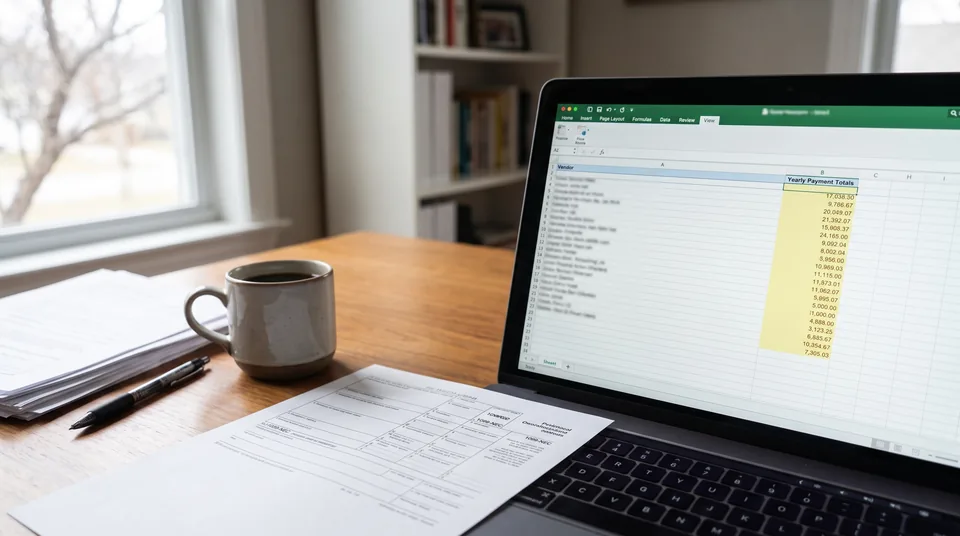
How the 1099 screen calculates who needs a form
The rules below are written into the calculation, so nobody has to remember them in January.
- Payment date, not invoice date. The IRS counts the year the money was paid. A bill dated December 28 and paid January 6 counts toward the new year.
- Card payments are left out. Payments marked as card are excluded because the card network reports them on Form 1099-K. Counting them again on a 1099-NEC is one of the most common year-end errors.
- Voided payments are left out. A check you voided and reissued is counted once, not twice.
- The right threshold for the year. The screen uses $600 for payments made through 2025 and $2,000 for payments made in 2026, the new 1099-NEC floor set by the One Big Beautiful Bill Act.
- Missing TINs are flagged. Any flagged vendor without a tax ID on file shows up as missing, so you can chase the W-9 in October instead of January.
- Archived vendors still count. A contractor you stopped using in June still gets a form for what you paid them before June.
Export a 1099-NEC file your filing service can read
When the year closes, one click downloads a CSV with a row per 1099 vendor: recipient name, recipient TIN, street address, city, state, ZIP, email, the Box 1 nonemployee compensation total, the number of payments counted, whether a Form 1099-NEC is required and the tax year. You map those columns once in the e-file service you already use, or in the IRS IRIS bulk upload template, and file from there.
That split is deliberate. AutoPayables does the part that depends on your AP data, which is the part that breaks. Filing, TIN matching, state copies and mailing recipient copies stay with a filing service, most of which charge a few dollars per form. If you want one vendor to do both tracking and filing, BILL is the clear choice, and the table below says so.
1099 tracking options for AP teams compared
| Option | How 1099 tracking works | Files with the IRS | Published cost | Best for |
|---|---|---|---|---|
| AutoPayables | 1099 flag and TIN per vendor, totals by payment date, card and voids excluded, missing TIN flag, 1099-NEC CSV export | No, export to your filing service | 1099 screen on every plan, Growth $49/mo, Scale $149/mo, flat, not per user | Teams that want capture, approvals, payment files and 1099 totals in one AP tool |
| BILL | Tracks payments made through BILL AP, then files at year end | Yes, IRS and state | Plans $49, $65, $89 per user/month; 1099 e-file $2.99 per form, state $1.49, mail $1.99 | Teams already paying vendors through BILL who want filing handled |
| QuickBooks Online | Marks contractors and builds forms from expenses mapped to 1099 categories | Yes, through Intuit's 1099 e-file service | Intuit lists the tracking on Plus and Advanced plans | Small companies whose AP already lives entirely in QBO |
| Your ERP (Dynamics 365, Vista, NetSuite) | Vendor level 1099 box setup, year-end 1099 reports | Varies, often through an add-on or export | Part of the ERP license | Teams whose every payment is entered in the ERP |
| Spreadsheet | Manual running totals per contractor | No | No license cost | A handful of contractors, low risk of error |
BILL's per-user plans and 1099 filing fees are taken from bill.com/pricing. QuickBooks plan availability is from Intuit's contractor page. Check both before you buy, because vendors change prices.
Why tracking belongs in accounts payable, not in the tax folder
The 1099 total is a by-product of how you pay vendors all year. If a bill is approved in one place, paid from a bank portal and noted in a spreadsheet, the 1099 number is reconstructed from three sources in January. When capture, approval and payment run in one system, the total is simply a query. AutoPayables reads each invoice with AI, codes it to your GL accounts, routes anything over your dollar threshold for approval, then pays approved bills through a NACHA ACH file or printed checks with a positive pay file. The payment rows those runs create are the same rows the 1099 screen adds up.
It also gives your auditor a clean trail. Each payment points back to the bill it paid and to who approved that bill, so a question about one contractor's total can be answered by opening the vendor, not by searching email.
What AutoPayables does not do for 1099s
We would rather you know this before the trial than after. AutoPayables does not collect W-9s electronically, does not run IRS TIN matching, does not e-file with the IRS or states and does not print or mail recipient copies. It does not decide which vendors are reportable. You tick the flag, usually for individuals, partnerships and LLCs taxed as sole proprietorships, and remember that attorneys get a form even when they are incorporated. It covers Form 1099-NEC totals, not 1099-MISC rents or royalties. Payments you make outside AutoPayables only count if you record them there.
Frequently asked questions
Mark each contractor as a 1099 vendor, store the TIN from their W-9, and record every payment against that vendor with its payment date. Then total the payments per vendor for the calendar year. AutoPayables does the totaling for you and flags vendors over the threshold or missing a TIN.
For payments made in 2026, you file Form 1099-NEC for a contractor you paid $2,000 or more for services. The One Big Beautiful Bill Act raised it from $600, which still applies to payments made in 2025, and the $2,000 amount is indexed for inflation after 2026.
No, not for the card payments. Payments made by credit card or through a payment settlement entity are reported by that entity on Form 1099-K, so you leave them off the 1099-NEC. AutoPayables excludes payments marked as card from the 1099 totals for this reason.
Payment date. Form 1099-NEC reports what you paid during the calendar year, so a December invoice paid in January counts in the new year. AutoPayables builds totals from the payment date on each recorded payment.
Form 1099-NEC is due to both the contractor and the IRS by January 31 of the following year. If January 31 falls on a weekend or legal holiday, the deadline moves to the next business day. Starting totals early is the only reliable way to hit it.
Corporations generally do not, including LLCs taxed as C or S corporations, with exceptions such as attorneys, who get a form even when incorporated. Payments for merchandise and freight fall outside the 1099-NEC, and rent goes on a 1099-MISC instead. Your W-9 on file tells you the vendor's tax classification.
No. AutoPayables tracks the totals and exports a 1099-NEC CSV with each vendor's name, TIN, address and Box 1 amount. You import that file into the e-file service you use, or the IRS IRIS template, to file and send recipient copies.
Have your 1099-NEC list ready before January
Start with your first 20 invoices as a one-time trial. The 1099 screen and export come with every plan, and Growth is $49 a month.