Positive pay for QBO check runs
QuickBooks Online Positive Pay File Software for Vendor Check Runs
Try it now, capture a real invoice
Your file is used only for this demo and deleted automatically within hours.
QuickBooks Online cannot create a positive pay file, so most QBO companies export the check register and reformat it by hand before every upload. AutoPayables replaces that step. Approved bills go into a check run that prints on your bank's check stock and produces a positive pay CSV with the same check numbers, amounts, dates and payees, plus a void flag. It costs $49 a month for 200 invoices, with no per-check fee from us.
6
Columns in every positive pay row, payee and void flag included
1 run
Checks and the positive pay file come from the same run
0
Positive pay exports built into QuickBooks Online
$0
Per-check fee from us. You print, your bank moves the money
Accounting sync
Everything a QBO check run needs before it reaches the bank
The positive pay file is only as good as the approvals behind it.
Positive pay file per run
Account, check number, issue date, amount, payee and an issued or void indicator for every check in the run.
Checks on your bank's stock
Print ready Letter PDFs, check on top and two stubs listing the invoices paid, amount in figures and words.
Only approved bills get paid
Bills are captured, coded and approved before they can enter a run, so the file never lists an unapproved payment.
Voids handled
Void a check and its bills return to the queue while the file is rebuilt with that check flagged V for the bank.
QuickBooks Online bills export
Approved bills with vendor, GL account and line detail go to QuickBooks Online through the Bills import.
ACH from the same screen
Switch a run to ACH and get a CCD+ NACHA file with invoice numbers in the addenda instead of checks.
From approved bill to positive pay upload
Set your bank account and starting check number once.
Approve bills
Forward invoices or upload PDFs. AI reads the lines, suggests QuickBooks GL accounts and routes anything over your threshold.
Build a check run
Pick the approved bills to pay, choose check and set the payment date.
Print and download
Print the check PDF on your check stock and download the positive pay CSV from the same run.
Upload to your bank
Upload the file in your bank's positive pay screen before the checks go in the mail.
Reformatting a QBO export versus a file from the check run
What most QuickBooks Online teams do today on the left, AutoPayables on the right.
Check register export from QuickBooks Online
- Columns rearranged in Excel every run
- Amounts and check numbers retyped or pasted
- Voided checks remembered, or not
- No link to who approved the bill
- Checks printed separately
Positive pay file from AutoPayables
- Same six column layout every time
- Taken from the checks the run printed
- Voids rebuilt into the file with a V flag
- Only approved bills can enter a run
- Check PDF and file from one locked run
Who uses this
QuickBooks Online companies that still pay a real share of vendors by check.
Controllers told to turn on positive pay
The bank or the insurer asked for it after a check fraud attempt, and QBO offers no file.
Contractors and property managers
Subcontractors, landlords and small suppliers who want paper checks every week.
Outsourced bookkeepers
Running check runs for several QBO clients who each bank somewhere different.
Teams moving off per-check bill pay fees
Printing on their own stock costs less than paying a network for every mailed check.
QuickBooks Online has no positive pay export
If your bank put your operating account on positive pay, it wants a file of every check you issue before those checks clear. QuickBooks Online does not produce one. When a user asked Intuit's community in March 2020 how to build a positive pay file in the bank's format, the QuickBooks team answered that "there isn't a way that you can create a file within QuickBooks Online" and pointed to a CSV export you then fix by hand. In December 2022 another moderator could only log a product suggestion for a positive pay report. The workaround most QBO shops land on is a check register export, a column shuffle in Excel and an upload, every check run.
That manual step is where positive pay quietly fails. A mistyped amount or check number sends a legitimate vendor check into the bank's exception queue, and a check someone forgot to add to the file gets returned. Worse, the file is built after the fact from whatever is in the register, so nothing ties it to an approved bill.
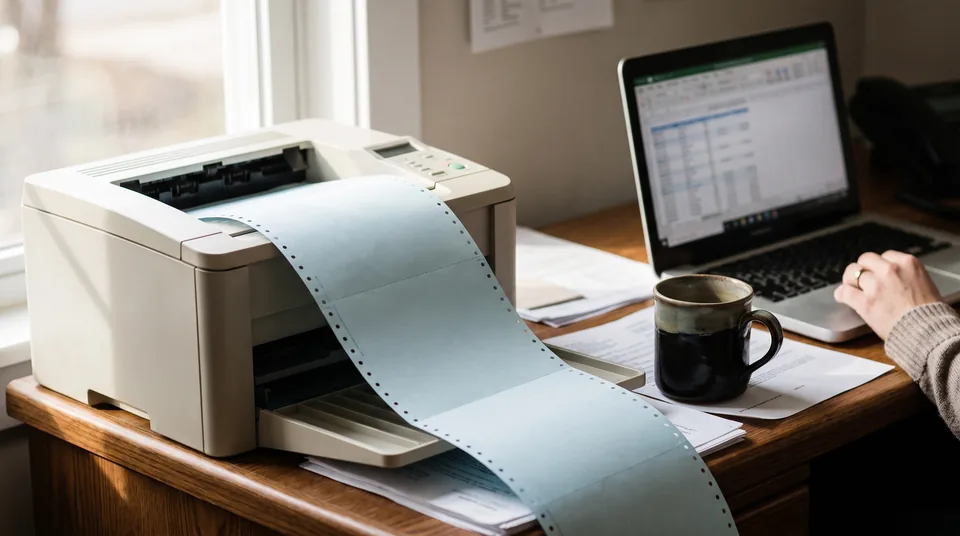
How AutoPayables builds the positive pay file for a QuickBooks Online company
AutoPayables sits in front of QuickBooks Online as the accounts payable layer. Invoices are captured, coded to your QuickBooks GL accounts and approved in AutoPayables, then exported to QuickBooks Online as bills through the Bills import. When those bills are due, you select them in a payment run, choose check as the method and set the payment date. The run produces two files at once.
- A check PDF for standard Letter check stock, check on top and two stubs listing the invoices paid, with the amount in figures and words. It is laid out for MICR pre-printed stock from your bank or check supplier, because the MICR line needs magnetic toner that office printers do not have.
- A positive pay CSV with one row per check. Every check number in that file is the same number printed on the PDF, taken from the check series you set on your account.
Because both files come from one locked run, the positive pay file cannot disagree with the checks you printed. Nobody retypes an amount.
What is in the positive pay file
| Column | What AutoPayables writes | What the bank does with it |
|---|---|---|
| Account Number | Your checking account, digits only | Knows which account the issued checks belong to |
| Check Number | From your check series, never reused | Matches the serial number on the presented check |
| Issue Date | MM/DD/YYYY | Flags checks presented before they were written |
| Amount | Two decimals, no currency symbol | Stops an altered amount |
| Payee | The vendor name printed on the check | Used when your bank offers payee positive pay |
| Void Indicator | I for issued, V for voided | Refuses a check you have cancelled |
The layout is a CSV with a header row, which is the shape many US bank portals accept through a mapped import. Some banks insist on their own fixed width layout. If yours does, map these six columns once in the bank's import template or ask your treasury contact which CSV layout they accept. We say this plainly because a file your bank cannot read is worse than no file.
Voided checks and reissues
When a check has to be voided, void it in AutoPayables. Its bills go back into the pay queue, and the run's positive pay file is rebuilt with that check marked V. Send the updated file to your bank the same day so the bank refuses the check if it is ever presented, or place a stop payment. The reissue gets a new check number from the series, so the bank never sees two checks with the same number.
Positive pay add-ons for QuickBooks Online compared
Several vendors sell positive pay file tools that read QuickBooks Online data. They solve the file well. The difference is what sits before the file.
| Option | What it does | Price as published | Where it stops |
|---|---|---|---|
| Manual CSV from QuickBooks Online | Export the check register, reformat in Excel, upload | No software cost | Retyping every run, no link to approvals |
| Big Red Consulting PositivePay File Creator for QBO | Builds positive pay files from a QBO report, 150+ bank formats plus custom CSV and fixed width | $119 the first year, then $99 a year, 30 day trial | Does not print checks or transmit files. No invoice capture or approvals |
| Treasury Software Bank Positive Pay | Creates positive pay files in bank formats from QuickBooks Online and many other systems | Listed on its own pricing page | A file tool. Invoice capture and approvals are out of scope |
| Your bank's portal entry screen | Key issued checks one by one | Included in the positive pay service fee | Fine for five checks a month, painful for fifty |
| AutoPayables | Invoice capture, GL coding, approvals, check PDF, positive pay CSV and NACHA ACH file from one run | $49 a month for 200 invoices, $149 unlimited | Generic CSV layout, no direct bank transmission, no MICR printing |
If all you need is a positive pay file from checks you already write in QuickBooks Online, a file creator at around a hundred dollars a year is the cheaper answer, and we would tell you so. If the reason you want positive pay is that bills get paid without a clean approval trail, the file alone does not fix that. That is the case AutoPayables is built for.
Paying some vendors by ACH instead
The same payment run can go out as ACH. AutoPayables writes a CCD+ NACHA file with the invoice numbers in the addenda, which you upload in your bank's ACH screen. Many teams move their regular vendors to ACH and keep checks for the ones who insist on paper. See NACHA file software for accounts payable for the file details, and QuickBooks Bill Pay pricing and limits if you are weighing Intuit's own payment option. For the wider setup, QuickBooks accounts payable automation covers capture, coding and the bill export. If you run Xero instead, read Xero positive pay software.
Frequently asked questions
No. QuickBooks Online has no built-in positive pay file. Intuit's own community team has said there isn't a way to create the file inside QBO, and the usual workaround is exporting the check register to CSV and reformatting it. A separate tool, either a file creator or AP software like AutoPayables, has to build the file.
You either export the check register from QuickBooks Online and rearrange it into your bank's layout by hand, or use software that builds the file for you. With AutoPayables the file comes from the payment run that printed the checks, so the check numbers, amounts and dates match without any retyping.
A positive pay file lists every check you issued: the account number, check number, issue date and amount, and often the payee name for payee positive pay. AutoPayables adds an issued or void indicator, so the bank also knows which checks you cancelled and should refuse.
Your bank charges for the positive pay service itself, usually a monthly fee, a per-item fee or both, and pricing varies by bank. Building the file is a separate cost. AutoPayables includes checks, positive pay and ACH files in its Growth plan at $49 a month, with no per-check fee.
Void it in AutoPayables and the run's positive pay file is rebuilt with that check marked V. Upload the updated file to your bank the same day, or place a stop payment, so the bank refuses the check if it is presented. The bills return to the pay queue for a new check.
Yes. The check PDF is laid out for standard Letter check stock with the check on top and two stubs. Use MICR pre-printed stock from your bank or a check supplier, because the routing and account line needs magnetic toner. AutoPayables fills in the date, payee, amount in figures and words, memo and stubs.
Many US bank portals import a CSV through a column mapping screen, and the six columns AutoPayables writes cover what standard and payee positive pay need. Some banks require their own fixed width layout. Check with your treasury contact before your first run so the mapping is set once.
Print this week's checks with the positive pay file already built
Start with your first 20 invoices as a one-time trial. Checks, positive pay and ACH files are included from the Growth plan at $49 a month.